

Performance Optimization & Startup Management
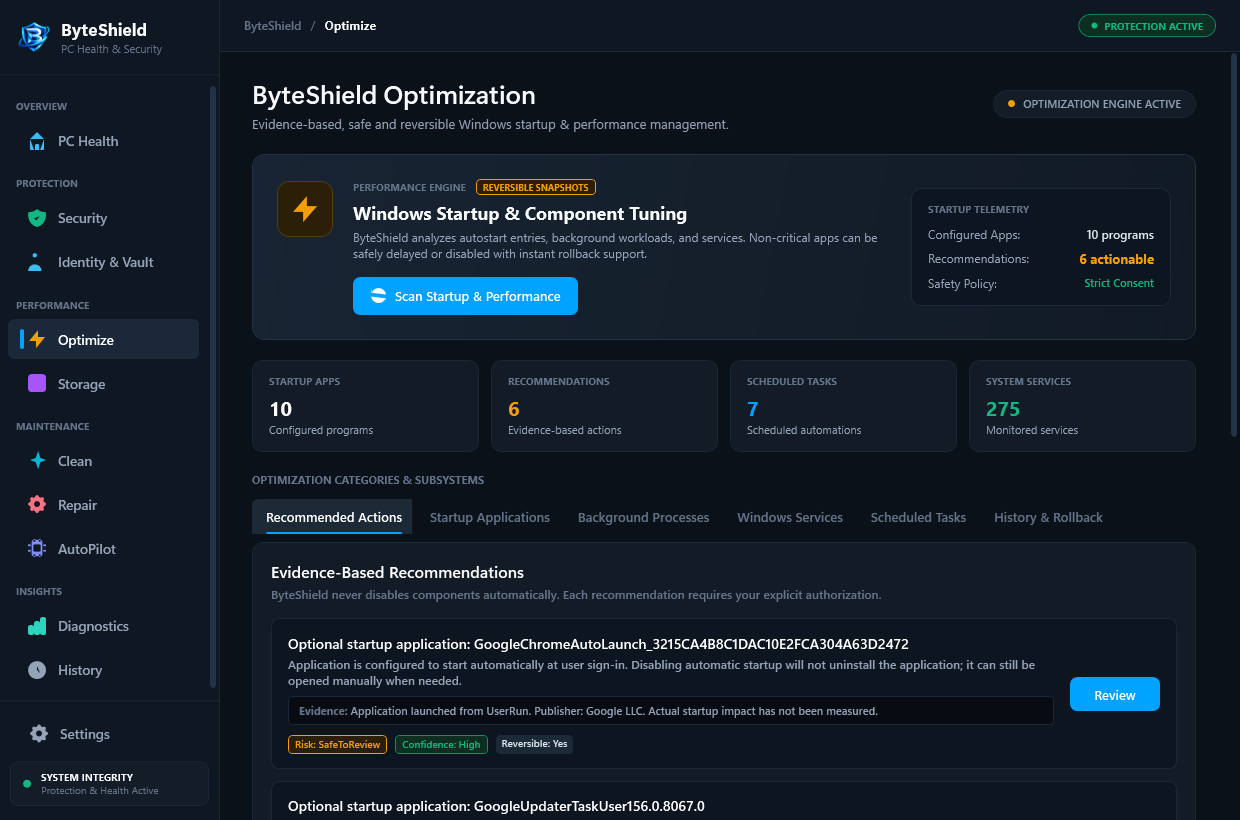
Eliminate desktop startup freeze loops and reclaim CPU headroom. ByteShield profiles all auto-launch services and lets you defer or disable non-essential apps safely.
Stop 20 Apps from Fighting for CPU at Login
When you turn on your PC, third-party software updaters and utility assistants launch simultaneously, causing high disk queues and desktop freeze cycles. ByteShield introduces an intelligent startup delay queue, launching background apps smoothly 30 to 60 seconds after login.
HKLM\Software\Microsoft\Windows\CurrentVersion\RunTaskScheduler\Microsoft\Windows\UpdateOrchestratorDelayedAutoStart • Windows Service Staging
Measured from Windows login to idle desktop readiness
Protects core Windows kernel and security services
Re-enable delayed or disabled apps with a single click
Zero frame drops or background disk thrashing during play
Smart Boot Control Without System Disruption
Unlike basic task managers, ByteShield exposes hidden scheduled tasks and telemetry services that slow down Windows startup.
Intelligent Startup Delay Queue
Instead of launching 20 background apps simultaneously when Windows starts, ByteShield stages non-critical utilities to launch smoothly 30-60 seconds after login.
Scheduled Task Bloat Auditor
Scans hidden Task Scheduler entries registered by software updaters and telemetry agents that wake your system and consume CPU cycles while idle.
Automated Full-Screen Priority
Automatically detects when a gaming or video production app enters full screen, temporarily pausing background file indexers and maintenance routines.
How ByteShield Accelerates Your Boot
A proven 4-step engineering approach to reclaiming Windows responsiveness.
Boot Impact Audit
Profiles every startup registry key, startup folder shortcut, and Task Scheduler entry, measuring exact second delays induced at login.
Impact Classification
Categorizes apps by impact (High, Medium, Low) and marks verified system-critical services as protected to prevent accidental disabling.
Staged Delay Assignment
Assign non-essential updaters and communication tools to the 30-second or 60-second delay queue with simple toggles.
Instant Reboot Verification
On your next boot, watch your desktop load instantly with zero application freezes. Revert any toggle anytime with one click.
Frequently Asked Performance & Startup Questions
Answers to key questions regarding startup delay safety, task management, and gaming performance.
No. ByteShield never modifies critical Windows kernel drivers, display drivers, or security components. Only third-party auto-launch apps and updaters are presented, and all toggles can be reverted in one click.
Disabling prevents the app from running until you manually launch it from your Start Menu. Delaying allows the app to start automatically, but stages its launch 30 to 60 seconds after login so your desktop loads smoothly without freeze loops.
The standard Windows Task Manager only offers a binary switch: Enabled or Disabled. It cannot stage programs with delayed queues, nor does it inspect complex background tasks registered in the Windows Task Scheduler where many modern updaters hide.
Never. ByteShield optimizes software efficiency, process priority scheduling, and disk queues. It does not tamper with hardware voltages, BIOS clock frequencies, or GPU power targets, ensuring complete hardware stability.
ByteShield monitors the Windows Desktop Window Manager (DWM) for exclusive full-screen and borderless window handles consuming high Direct3D/Vulkan GPU cycles. When detected, background disk maintenance and telemetry tasks are suspended until the game is closed.
Yes. Heavy launchers and update daemons are prime candidates for the ByteShield 60-second delay queue, saving you up to 15 seconds of boot latency every time you power on your machine.
Accelerate Your Windows Boot Today
Profile your startup services and stage background apps with the free 7-day trial of ByteShield.